
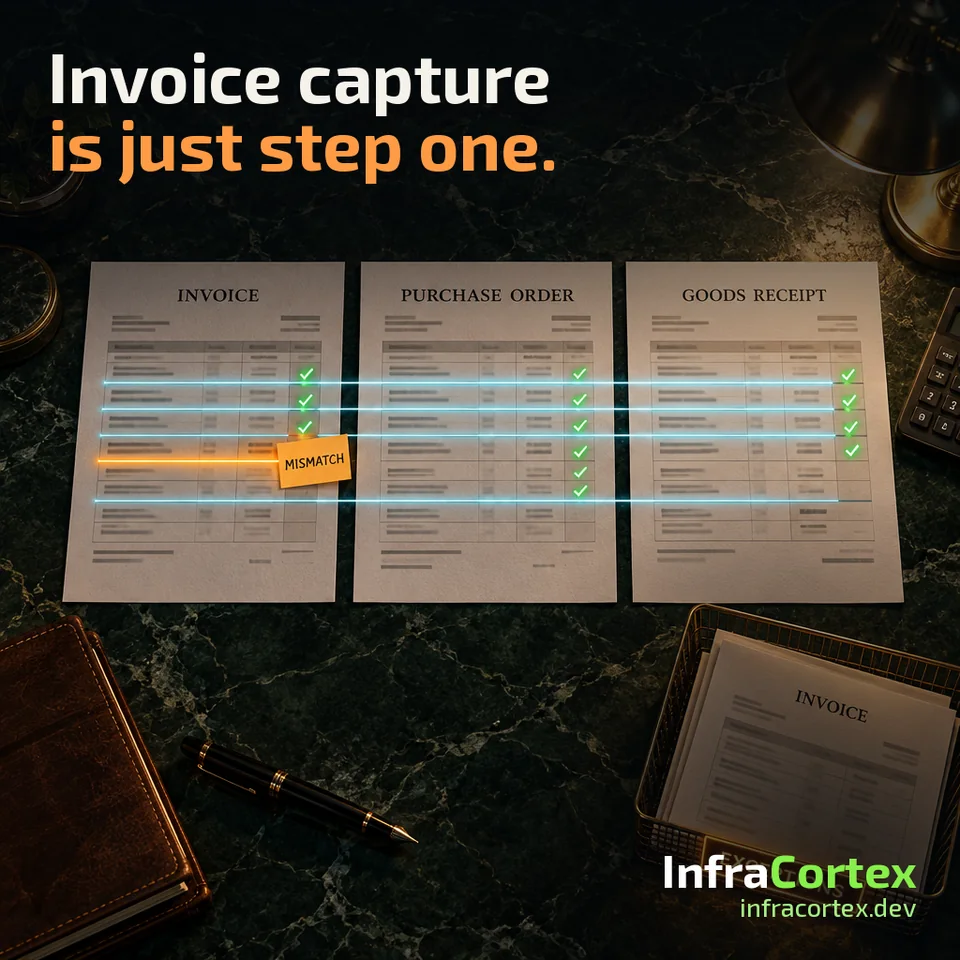
It is easy to mistake invoice capture for accounts payable automation. But a captured invoice proves only one thing: the fields have been extracted from the document. It does not prove that the right supplier was identified, that the invoice matches an approved purchase, or that it may be posted.
So before choosing an invoice capture tool, it is worth mapping the invoice's whole journey, from the incoming email to the entry in the accounting system. Below we look at which states to divide it into, which decisions can be left to rules, where AI helps and which cases a person has to decide. The same approach works for bank statement reconciliation.
One caveat. Matching rules, acceptable discrepancies and the approval procedure are set by your finance team. This article is about how the process is built, not about accounting policy.
Five invoice states
Divide the invoice's journey into states that cannot be confused with one another:
- Captured. The fields have been extracted, and each one links back to the source file. This state means nothing more than that.
- Matched. The invoice is linked to the supplier, the order and, if your rules require it, the actual goods receipt. The basis for the link is stored.
- Exception. A discrepancy has been found or data is missing. The invoice is waiting for review.
- Approved. A person or rule with the authority to do so has allowed the invoice to be posted.
- Posted. The accounting system has confirmed the entry, and the entry number is stored with the invoice.
Payment is deliberately missing from this list. It should have its own process and its own permissions: an invoice approved for posting is not yet permission to pay it.
For each transition, write down two things: what basis is required, and who may move the invoice on, a rule or a specific role. For example: "a rule moves the invoice from 'matched' to 'approved' if the amount and quantity agree with the order; in all other cases the manager who owns this budget decides". Until you have written this down, it is too early to automate the transition, because it is not clear what exactly is being automated.

Invoices with and without a purchase order
If an invoice has a purchase order, check what kind of matching your rules require. Sometimes comparing the invoice with the order is enough. Sometimes the quantity also has to be checked against the goods receipt document; this is known as three-way matching.
An illustrative example. You ordered 100 boxes, the warehouse received 60, and the invoice arrived for all 100. A comparison with the order alone shows a full match. A comparison with the receipt shows a discrepancy that a person needs to resolve.
An invoice without an order, for rent, a one-off service or a subscription, has nothing to be matched against. It needs an explicit approval route. The worst thing you can do is attach such an invoice to the first similar-looking order just so that it passes the check.
Rules, AI and people: who decides what
Rules close the clear-cut cases
If exactly one candidate fits on every attribute (supplier, order number, amount within agreed limits, currency, period), a rule confirms the match. Its decision can be explained and repeated. These are exactly the cases worth closing without people.
AI suggests candidates
AI is useful where data has been recorded carelessly: the invoice number sits in a comment, the supplier's name is abbreviated, the payment reference reads "payment for inv. 15 for September", or one payment covers several invoices. A model can make sense of text like this and suggest candidates, explaining why it chose them.
A suggestion is not yet a decision. The model's confidence score is a useful signal, but it is not permission to skip the check.
People decide the disputed cases
If several candidates fit, the amounts differ or there is no basis, the case stays open until the responsible member of staff reviews it under an agreed rule. If you simply take the first candidate that fits, the report will look tidier and the reconciliation will be less reliable.
Matching amounts are a hint, not proof. Two payments of the same amount to the same supplier in the same month, a bank charge, a reversal, a partial payment: any of these changes the decision. Next to each suggested match, store the source records and the reason it was suggested.
Why bank statement reconciliation suits a first project
A first AI project in finance needs a narrow task in which every decision can be checked. Matching bank statement lines with posted transactions fits the bill: each line has a clear result: a match is found, no match is found, or the line needs review.
Start by setting the boundaries: which bank account, which legal entity, which currency, which period and which matching rules the finance team has adopted. Without this you cannot tell a system error from a disagreement within the team itself.
Exceptions are a process too
Every discrepancy should have a reason, an owner and a next action. It is easier to pick the reason from a short agreed list: "no goods receipt", "amount does not match the order", "possible duplicate", "not approved". Then you can see which reasons keep coming back.
A recurring reason is a cue to change something. If a supplier always puts the order number in a comment, you can extend the rule or come to an arrangement with the supplier. And if the exceptions queue only keeps growing, it is the same manual work, just moved to a different screen.
A pilot that does not write to the accounting system
The first pilot should only make suggestions: matches, state transitions, draft entries. It writes nothing to the accounting system. The team works as usual, and the suggestions are compared with the team's verified decisions.
Count three things:
- wrongly accepted matches: review each one individually;
- cases handed over to a person for review;
- the time it took to review them.
State which documents went into the sample and which period it covers. A high share of closed cases says nothing on its own: false matches can hide behind it. An unresolved case is visible straight away, while a wrongly accepted one looks closed, which is why it costs more.
Before widening the scope, run the hard cases: a partial receipt, the same invoice arriving twice (by email and as a scan), missing approval, two plausible candidates. Separately, test a dropped connection after the accounting system has already saved the document: creating it again without a check will produce a duplicate. We looked at how to retry a write safely in our article on enquiries that never reach the CRM, and the mechanics here are the same. If you are choosing an off-the-shelf solution, ask the vendor to show you how it recovers from each of these situations.
Pre-launch checklist
- The invoice's journey from receipt to the entry in the accounting system is mapped.
- The states "captured", "matched", "exception", "approved" and "posted" are kept separate, and payment is handled in a process of its own.
- For each transition, the required basis and who may carry it out are known.
- The finance team has approved the matching rules and acceptable discrepancies.
- Invoices without a purchase order have their own approval route.
- Rules close only cases with a single matching candidate.
- AI suggestions are stored together with the source records and the reason.
- A case with several candidates stays open until a person decides.
- Every exception has a reason from the list, an owner and a next step.
- The pilot does not write to the accounting system.
- Wrongly accepted matches are counted and reviewed individually, and the sample and period are stated.
- A partial receipt, a duplicate invoice, missing approval and a dropped connection after saving have been tested.
Where to start
Pick one stream: for example, invoices with purchase orders from one group of suppliers, or one bank account's statement for a month. Collect past cases that the team has already resolved, and make sure to include the hard ones. Run the pilot in suggestion mode and go through every wrongly accepted match together with the finance team. Only then decide which transitions to automate. We described how to judge whether a project like this will pay off in our article on AI automation ROI.
If you would like to work through one such process, describe it to us on Telegram (@infracortex_studio) or via the process automation page. For a first conversation, a description of the steps is enough, with no internal documents or personal data.